
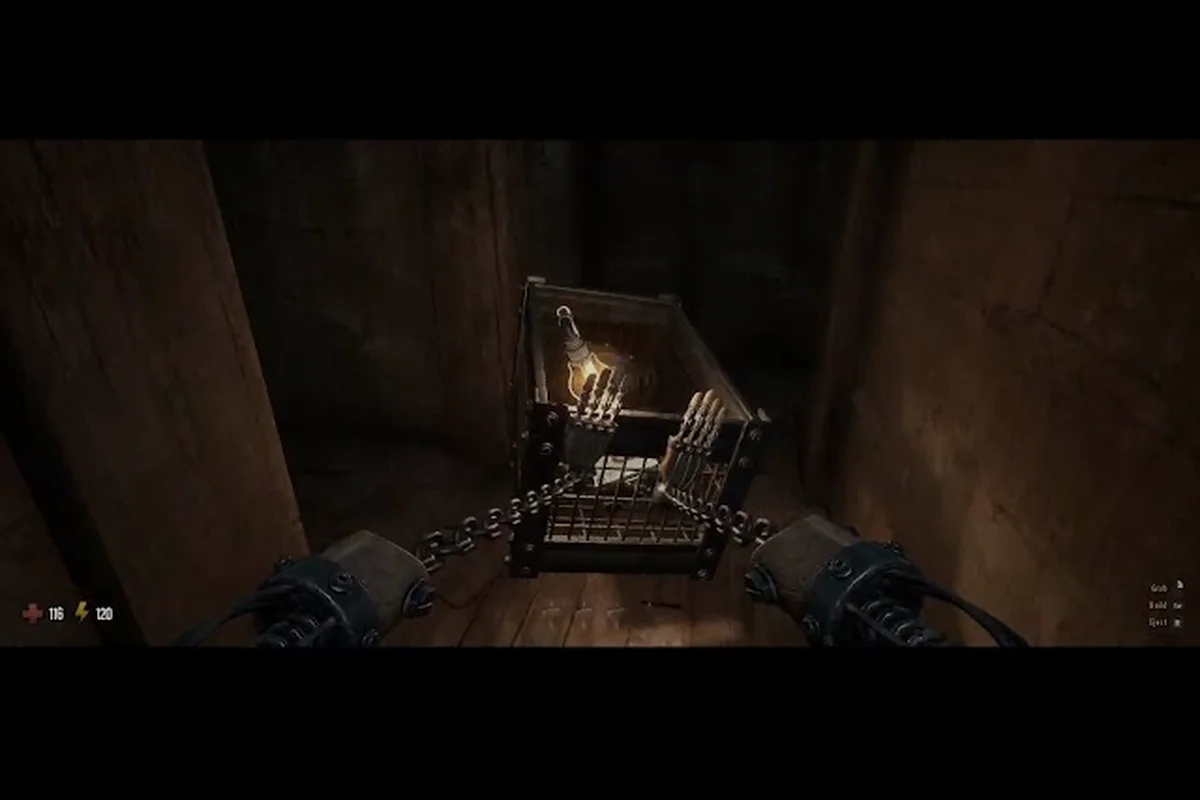
GRAIN ROT dropped on Steam August 7, 2026, and the scorched wasteland is already pulling in players who want to descend into shifting ruins, rip out furniture, and escape before the Corrupted close in. This grain rot tutorial walks you through the core systems so your first extraction doesn't end in ashes.
The game blends co-op extraction with base building, and that combination trips up plenty of newcomers who expect a straightforward survival shooter. Understanding the grain rot basics before you queue up with friends will save you from losing loot on your very first run. We'll cover the controls, the interface, how XP works, and what to prioritize when you're learning the ropes.
GRAIN ROT Tutorial: Core Systems Overview
Before you dive into the ruins, you need to understand the loop that drives every session in this horror co-op extraction builder. The cycle is simple on paper but demands attention in practice: descend into the ruins, scavenge furniture and loot, escape before the Corruption spreads, then rebuild your Outpost to improve your odds next time.
The game launched after a 350K+ demo download run and nearly 200K wishlists, according to the official press materials, so the community is already sizable and active. That means you'll find plenty of players running public lobbies, but you should still learn the fundamentals before jumping in blind. Here's what this grain rot tutorial covers in detail:
-
Controls and movement — the keybinds that keep you alive
-
UI breakdown — what every icon and meter actually tells you
-
XP and progression — how to level efficiently without wasting runs
-
Extraction priorities — what to grab and what to leave behind
-
Outpost upgrades — the building systems that make future runs easier
The grain rot basics revolve around risk management. Every descent is a gamble where your loadout, your route, and your exit timing all matter. Players who treat each run like a sprint to grab everything often end up dead with nothing, while those who plan their extraction route first tend to survive more consistently.
GRAIN ROT Controls: Keybinds and Movement Explained
Getting comfortable with the grain rot controls is the first real skill check. The game uses a standard first-person control scheme, but several mechanics are unique enough that you'll want to remap a few keys before your first descent. The default keybinds are straightforward, but the furniture ripping mechanic requires a dedicated key that new players often miss. You'll need to hold the interact key on furniture pieces to tear them out of the environment, which is how you gather the materials needed for Outpost construction.
| Action | Default Key | Notes |
|---|---|---|
| Move | WASD | Standard FPS movement |
| Sprint | Shift | Drains stamina, use sparingly when carrying loot |
| Interact / Rip Furniture | E (hold) | Hold to tear furniture from walls and floors |
| Jump | Space | Useful for reaching elevated loot caches |
| Crouch | Ctrl | Reduces noise, helps avoid Corrupted detection |
| Inventory | Tab | Opens your bag and equipped gear |
| Map | M | Shows the current ruin layout and extraction points |
| Dropkick | F | Unlocks after tutorial, strong stagger tool |
| Use Medkit | Q | Quick-heal, consumes a medkit from inventory |
| Ping | Middle Mouse | Marks loot or threats for your squad |
The dropkick mechanic deserves special attention because it's one of the few crowd-control tools you have against the Corrupted. You unlock it early in the tutorial, and it can stagger even larger enemies, giving you a window to escape or reposition. Practice the timing in the tutorial area because the dropkick has a short wind-up that leaves you vulnerable if you whiff.
Remapping for Comfort
While the defaults work fine, many players in the community report remapping the rip furniture action to a mouse side button. Since you'll use it constantly during scavenging, having it on your thumb frees up your left hand for movement and sprint toggling. The official Discord has threads where players share their keybind setups, and the consensus is that keeping rip and interact on separate keys prevents accidental furniture grabs during combat.
GRAIN ROT UI Guide: Reading Your Interface Correctly
The grain rot ui guide is essential reading because the interface doesn't explain itself well. Several meters and icons are easy to misinterpret, and that confusion leads to avoidable deaths. Let's break down every element you'll see on screen during a run.
Your health bar sits in the bottom-left corner, but it's not your only survival meter. Below it, you'll find a stamina bar that drains when you sprint, jump, or perform heavy actions like ripping furniture. Managing stamina is critical because being exhausted during a Corrupted chase is a death sentence.
| UI Element | Location | What It Tells You |
|---|---|---|
| Health Bar | Bottom Left | Current HP, regens slowly when out of combat |
| Stamina Bar | Below Health | Drains on sprint/jump/rip, refills when walking |
| Corruption Meter | Top Center | How close the area is to being overrun |
| Loot Weight | Bottom Right | Total weight of carried items, affects movement speed |
| Extraction Timer | Top Right | Countdown until the current extraction window closes |
| Squad Status | Top Left | Health and position of your co-op teammates |
| Objective Marker | Compass Bar | Direction to current objective or extraction point |
The Corruption Meter is the most misunderstood element in the grain rot ui guide. It fills over time as you linger in a ruin, and when it maxes out, the Corrupted become significantly more aggressive and numerous. You can slow the meter by moving to different sections of the map, but you can't stop it entirely. This creates a natural time pressure that forces you to balance thorough looting against efficient extraction.
Your loot weight directly impacts your movement speed and stamina regeneration. The heavier your bag, the slower you move and the longer stamina takes to refill. This tradeoff is the core tension of every run, and learning when to drop less valuable items to maintain mobility is a key skill.
Understanding the Compass and Pings
The compass bar at the top of the screen shows nearby points of interest, including loot caches, extraction points, and squadmates. Using the ping system with your middle mouse button marks locations for your team, which is invaluable for coordinating furniture ripping priorities. The compass also shows the direction of the nearest Corrupted when they're actively hunting you, giving you a chance to break line of sight before they close in.
GRAIN ROT XP Guide: Leveling Efficiently
The grain rot xp guide covers one of the most important progression systems in the game. XP determines your account level, which unlocks new furniture blueprints, weapon modifications, and Outpost structures. Leveling efficiently means you'll have access to better gear sooner, which directly improves your survival rate.
XP is earned primarily through successful extractions, not just looting. You get a base amount for escaping alive, plus bonuses for the value of loot you bring back and any Corrupted you eliminate. Dying in the ruins forfeits most of your XP, which is why survival matters more than greed.
| Activity | XP Reward | Notes |
|---|---|---|
| Successful Extraction | 500 XP | Base reward for escaping alive |
| Per Loot Item Extracted | 25-100 XP | Scales with item rarity and value |
| Corrupted Eliminated | 50 XP per kill | Higher-tier enemies give more |
| Furniture Ripped | 10 XP per piece | Small but adds up over a run |
| Teammate Revive | 150 XP | Encourages co-op play |
| First Extraction of the Day | 250 XP bonus | Daily reset, worth planning around |
The first extraction bonus is a daily reset that gives you a solid XP head start. Community reports suggest that players who log in and complete one successful run each day level noticeably faster than those who binge sessions on weekends. The bonus is small, but it compounds over a week.
XP Multipliers and Squad Play
Playing with a full squad of four grants a 10% XP bonus on all earnings, according to community testing. That might not sound like much, but over dozens of runs it adds up significantly. The game also rewards team-oriented play through the revive bonus, so sticking together and helping downed teammates is both strategically sound and mechanically rewarding.
For the fastest leveling, focus on short, efficient runs rather than ambitious deep dives. A quick extraction with a few high-value items often yields nearly as much XP as a long run with a full bag, and it carries far less risk. The grain rot xp guide consensus from experienced players is that consistency beats heroics when you're grinding levels.
GRAIN ROT Basics: Extraction Priorities and Loot Management
Mastering the grain rot basics means understanding what's worth grabbing and what's a trap. The ruins are full of tempting loot, but your bag has limited space and your extraction window is always shrinking. Prioritizing correctly is the difference between a profitable run and a wasted one.
Furniture pieces are the backbone of your Outpost progression, and they should be your primary target on early runs. You need them to build storage, crafting stations, and defensive structures. While they're not worth much XP individually, they enable everything else in the game.
| Loot Type | Priority | Why |
|---|---|---|
| Furniture (Rare+) | Highest | Needed for Outpost upgrades and blueprints |
| Medkits and Consumables | High | Keeps you alive during extraction |
| Weapon Mods | High | Directly improves combat effectiveness |
| Gold and Valuables | Medium | Sells for currency at the Outpost trader |
| Common Furniture | Medium | Bulk materials for basic construction |
| Corrupted Remains | Low | Only useful for specific crafting recipes |
The furniture rarity system matters more than raw quantity. A single rare furniture piece can unlock a blueprint that would otherwise take dozens of common pieces to research. If you spot a glowing piece, grab it even if it means dropping other loot, because the long-term value is almost always higher.
Knowing When to Extract
The most important grain rot basics skill is knowing when to call it quits. The extraction timer gives you a clear window, but many players push too deep and miss it. Once the timer hits zero, the Corrupted swarm and extraction points become extremely dangerous.
A good rule of thumb from veteran players: start heading to extraction when your bag is 70% full or when the Corruption Meter hits 60%, whichever comes first. That gives you buffer time to deal with unexpected encounters or navigation mistakes. Greed is the number one cause of lost loot in this game, and the community reports it constantly.
GRAIN ROT Tutorial: Outpost Building and Progression Loop
The Outpost is your hub between runs, and it's where all your scavenged furniture and gold get converted into permanent progression. Understanding the building systems is a core part of any grain rot tutorial because the Outpost directly influences your in-run performance.
Your Outpost level gates which structures you can build and which blueprints you can research. Leveling it requires both furniture materials and gold, which means you need to balance your loot priorities across multiple runs. The Grinder is one of the first structures you'll build, and it converts raw furniture into refined materials used for higher-tier construction.
| Outpost Structure | Cost | Benefit |
|---|---|---|
| Storage Rack | 10 Common Furniture | Increases stash capacity for materials |
| Grinder | 15 Common + 5 Rare | Refines materials for advanced crafting |
| Workbench | 20 Common + 500 Gold | Unlocks weapon modification crafting |
| Med Station | 10 Rare + 750 Gold | Passive health regen between runs |
| Trader Post | 25 Common + 1000 Gold | Better prices when selling loot |
The Trader Post is worth prioritizing early because it improves the gold value of everything you sell. Since gold is needed for so many Outpost upgrades, getting better prices compounds your economy significantly. Players who rush the Trader Post tend to outpace those who build storage first, according to community reports.
The Run Loop
Each run feeds into the next through this loop: descend, loot, extract, rebuild, repeat. The extraction builder genre tag means your Outpost is never truly safe either, as the Corruption can threaten it during certain events. Keeping your defensive structures upgraded is important, but early on, focusing on economic structures gives you the fastest return.
For a deeper look at how the map layout affects your route planning, check out the GRAIN ROT map guide which breaks down the different ruin zones and where the best loot spawns. And if you want to understand the combat side better, the weapon guide covers which loadouts perform best against the Corrupted.
Frequently Asked Questions
What is the best way to learn the grain rot basics?
Start with the in-game tutorial, then run a few solo extraction missions on the easiest difficulty. Focus on learning the furniture ripping mechanic and extraction timing before worrying about combat. Once you can extract consistently solo, join public lobbies to learn squad coordination and ping usage.
How do I unlock the dropkick in GRAIN ROT?
The dropkick unlocks during the tutorial section after you complete your first furniture rip objective. It's assigned to the F key by default, and you can practice it in the tutorial area before descending into the ruins. The dropkick staggers most Corrupted enemies and is essential for creating escape windows.
What should I prioritize on my first few runs?
Focus on ripping common and rare furniture pieces, plus any medkits you find. Avoid engaging Corrupted unless necessary, since combat risks damage and attracts more enemies. Head to extraction when your bag is 70% full, and use the gold you earn to build the Grinder and Trader Post first.
How does the grain rot xp guide recommend leveling fast?
Complete one successful extraction per day to claim the daily bonus, then run short efficient missions with a full squad for the 10% XP bonus. Prioritize extracting with high-value loot over long exploration sessions. Consistency matters more than big hauls, and dying forfeits most of your earned XP.
Can I play GRAIN ROT solo, or do I need a squad?
Yes, GRAIN ROT is fully playable solo. Difficulty scales up, but solo players get better loot spawns to compensate. The extraction timer and Corruption Meter remain unchanged. For tougher runs, use the official Discord’s looking-for-group channel. Master the grain rot basics here, then test your solo survival skills in the ruins.